What is an employer?
An employer is a person or a business that hires an individual (eg an employee or a worker) to perform a specific job. The relationship is formalised through an Employment contract, which sets out the rights and responsibilities of both sides. As an employer, you are responsible for paying your employees’ wages, deducting the correct tax and National Insurance contributions (NICs), and providing a safe working environment.
Checklist for new employers
When you become an employer, you take on several core legal obligations. Following this checklist will help you cover all the key steps, from checking someone's right to work to setting up a pension:
Action |
(✔) |
| Prepare a Job description outlining the role’s duties, responsibilities, and requirements. This is the foundation for everything that follows. | |
| Decide on a salary, ensuring it meets the national minimum wage. Decide what other benefits and work arrangements you will offer (taking into account other statutory minimum rights). |
|
| Conduct a risk assessment of your premises and processes to ensure the health and safety of the working environment. | |
| Prepare key workplace policies, such as Disciplinary, Grievance, and Health and safety policies. These can be consolidated in an Employee handbook. | |
| Make a formal Job offer letter to provide to your chosen candidate once you have completed your recruitment process. | |
| Check the employee’s right to work in the UK. This must be done before their first day. | |
| Get employers' liability insurance with at least £5 million of cover. This must be in place before your employee starts. | |
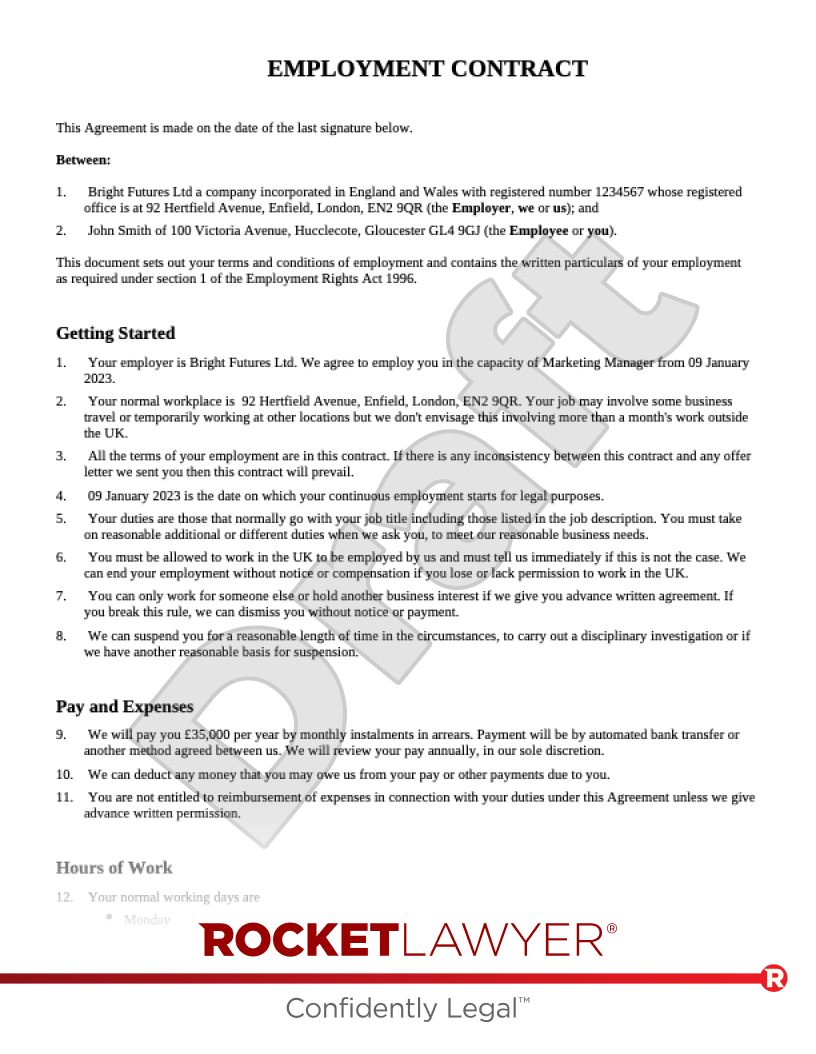
| Make the relevant contract (eg an Employment or Zero hours contract) and give it to your employee on or before their first day. Remember that employees are legally entitled to a written statement of employment particulars on their first day of employment. |
|
| Register as an employer with HMRC before your first payday. | |
| Set up a payroll system to manage pay and deductions, reporting to HMRC on or before each payday. | |
| Set up a workplace pension scheme for eligible employees. |
What is PAYE and payroll?
One of your most important duties as an employer is to manage tax and NICs. This is done through a system called PAYE (Pay As You Earn), which requires you to register with HMRC and run payroll.
How do I register as an employer with HMRC?
Registering as an employer is a legal requirement, and you must register before your first payday. You can register as an employer online on the government website up to two months before you start paying your employee.
During the registration process, you'll provide HMRC with details about your business and your new employee. Once it's complete, HMRC will send you a welcome pack containing your PAYE reference number and Accounts Office reference number. It can take up to five working days (sometimes longer) to receive these, so it's vital to register in good time. You'll need these reference numbers to set up your payroll software.
How do I set up a payroll system?
A payroll system is the process you use to manage everything related to paying your employees. For each payday, this involves:
-
calculating your employee's gross pay (ie their full pay before deductions)
-
working out and subtracting all required deductions. This includes statutory (legally required) deductions like income tax, NICs, and student loan repayments, as well as any other deductions agreed with your employee (eg pension contributions)
-
providing your employee with a detailed payslip that clearly lists their gross pay and all deductions made
-
reporting the pay and deduction details to HMRC
Most businesses use dedicated payroll software to handle this process, as it automates the complex calculations and simplifies reporting to HMRC. You'll need to input your PAYE reference numbers into the software to link it to your HMRC account. Alternatively, many businesses choose to outsource this work to an accountant or a specialist payroll bureau.
When running payroll, you'll need to meet several key deadlines:
-
on or before each payday - provide your employee with a payslip and report their pay and deduction details to HMRC
-
by the 22nd of the next month - pay HMRC the tax and NICs you've collected (this is the deadline for electronic payments)
-
at the end of the tax year (which runs to 5 April) - give your employee a P60 form by 31 May and send a final payroll report for the year to HMRC
What is the Fair Work Agency?
The Fair Work Agency (FWA) is a new 'super-regulator' established in April 2026 under the Employment Rights Act 2025 to oversee and enforce employment rights across the UK. For new employers, this marks a significant shift; while many employment rights previously relied on an employee taking a claim to an employment tribunal, the FWA has the power to proactively investigate businesses and enforce rights directly.
What powers does the Fair Work Agency have?
The FWA brings together several enforcement bodies, including HMRC’s National Minimum Wage unit and the Gangmasters and Labour Abuse Authority, to create a 'one-stop shop' for labour standards.
Once fully operational, key powers of the FWA are expected to include:
-
proactive investigations - the FWA will be able to enter business premises to inspect records without waiting for a formal complaint
-
statutory payment enforcement - the FWA will be able to issue formal notices for underpayment of minimum wage, statutory sick pay (SSP), and holiday pay
-
financial penalties - if the FWA finds a breach, it will be able to issue a penalty of up to 200% of the unpaid wages (subject to a maximum cap)
-
investigation costs - in some cases, you may be required to pay the actual costs the FWA incurred while investigating your business
-
naming and shaming - the FWA will be able to publicly name businesses that fail to meet minimum standards, causing significant reputational damage
How should I prepare?
The best way to stay protected is to ensure your internal processes are robust from day one. You should ensure that your payroll records, holiday entitlement calculations, and payments are documented clearly. Under the new framework, you are generally expected to keep these records for at least six years. You can Ask a lawyer to ensure your systems meet the FWA's requirements.
If you're ready to create the key documents for hiring, you can make a Job description, a Job offer letter, an Employment contract, a Zero hours contract, and an Employee handbook. For more information on hiring employees, read Hiring and Recruitment. If you have any questions about your responsibilities, do not hesitate to Ask a lawyer.