Make a record of a purchase transaction: Purchase Order
What is a Purchase Order?
A Purchase Order (PO) is a document a buyer sends to a seller to request goods or services. It lists exactly what the buyer wants to purchase, including item descriptions, quantities, prices, and delivery details.
Businesses use Purchase Orders to clearly document the terms of a transaction before products or services are delivered. This helps both the buyer and the seller understand what is being ordered, how much it costs, and when it should arrive.
Once a seller accepts a Purchase Order, it typically becomes a binding agreement between the parties. The seller agrees to deliver the items or services requested, and the buyer agrees to pay according to the terms listed in the PO.
When to use a Purchase Order:
- You want to buy items from a vendor or other business.
- You supply goods to a person or business.
- You're an office manager who needs to keep track of what comes in — and what goes out.
- Your business wants a written record of purchases, pricing, and delivery expectations.
How do I get my Purchase Order reviewed?
If you already have a Purchase Order and want to have it reviewed, or if you have questions about creating or using one, there are a few ways to get help.
Use Rocket Copilot to ask questions or review your document; this helps you better understand what it says and identify anything that may need a closer look.
If you are looking for help from a attorney, you can also ask a question and receive a response within one business day, or request a more in-depth document review.
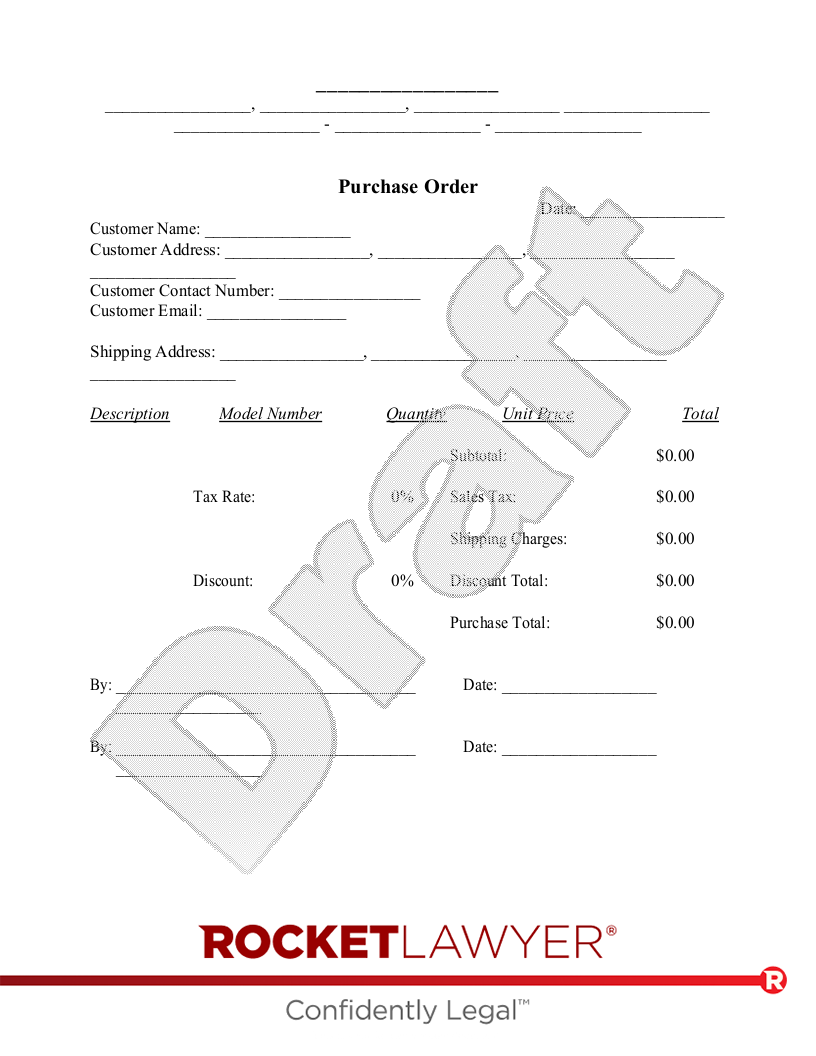
Sample Purchase Order
The terms in your document will update based on the information you provide
 This document has been customized over 101.6K times
 Legally binding and enforceable
 Consult an Attorney to ask questions or review your document
 Sign this document online for free with RocketSign®
, ,
- -
Purchase Order
Date:
Customer Name:
Customer Address: , ,
Customer Contact Number:
Customer Email:
Shipping Address: , ,
| Description | Model Number | Quantity | Unit Price | Total |
| Subtotal: |
| Tax Rate: | % | Sales Tax: |
| Shipping Charges: |
| Discount: | % | Discount Total: |
| Purchase Total: |
| By: | Date: |
About Purchase Orders
Learn about how to make a record of a purchase transaction
-
Types of Purchase Orders
Businesses may use different types of Purchase Orders depending on their purchasing needs.
Standard Purchase Order
This is the most common type of Purchase Order. It is used when the buyer knows exactly what they want to purchase, how many items they need, the price, and when they want the items delivered.Blanket Purchase Order
A blanket Purchase Order is used when a buyer expects to purchase goods or services repeatedly over time but may not know the exact quantities or delivery dates upfront.Contract Purchase Order
A contract Purchase Order sets the terms of an ongoing purchasing relationship between a buyer and seller. It may establish pricing and other terms for future purchases.Planned Purchase Order
A planned Purchase Order outlines what a buyer intends to purchase and when they expect to need it, even if the exact payment or order details will be finalized later. -
The advantages of using a Purchase Order
Purchase Orders provide several important benefits for businesses.
Clear communication
A PO makes sure both the buyer and seller understand what is being ordered, helping prevent misunderstandings.Record keeping
Purchase Orders provide documentation of what was ordered, how much it cost, and when it was delivered.Legal protection
Once accepted by the seller, a Purchase Order may become a binding agreement that documents the terms of the transaction.Budgeting and expense tracking
POs help businesses monitor spending and manage purchasing budgets.Inventory management
Businesses can track incoming products and maintain better control of their inventory. -
How Purchase Orders work
Purchase Orders usually follow a straightforward process.
-
The buyer creates the Purchase Order
The buyer prepares a PO that lists the products or services, quantities, prices, and delivery details. -
The seller reviews the order
The seller checks the PO to confirm they can fulfill the request. -
The seller accepts the Purchase Order
If the seller agrees to the terms, they approve the PO. -
The seller delivers the goods or services
The items requested in the PO are shipped or the services are provided. -
The seller sends an invoice
After the order is fulfilled, the seller issues an invoice requesting payment. -
The buyer submits payment
The buyer pays the invoice according to the agreed payment terms.
-
-
What to include in a Purchase Order
A Purchase Order should include key information to ensure the transaction is clear and easy to track.
Common details include:
- Purchase Order number
- Buyer name and contact information
- Order date
- Delivery date
- Item descriptions
- Quantities and unit prices
- Total cost
- Payment terms
- Shipping address and delivery instructions
Including these details helps ensure both parties understand the purchase and reduces the risk of errors or disputes.
-
How to write your own Purchase Order
Creating a Purchase Order is simple when you follow a clear process.
Start with a template
Using a Purchase Order template can make the process faster and help ensure all required information is included.Provide the order details
Enter the products or services being purchased, including quantities, pricing, and delivery information.Review the information carefully
Double-check all details before sending the PO to make sure prices, quantities, and delivery terms are correct.Send the Purchase Order
Once completed, send the PO to the seller and keep a copy for your records.Using the Rocket Lawyer Purchase Order template helps ensure your document is clear, professional, and easy to complete.
Purchase Order FAQs
-
How does a Purchase Order work?
A Purchase Order serves as a transaction record between the buyer and seller of a product or service. Typically issued by the buyer, a Purchase Order often includes the name of the buyer, the type of product, the quantity of the product to be purchased, the date of anticipated delivery, the agreed-upon pricing, and the total sales amount.
-
What is the difference between a Purchase Order and an Invoice?
The primary difference between a Purchase Order and an Invoice is that generally speaking, one is issued by the buyer and one is issued by the seller. The seller issues an Invoice once the Purchase Order has been fulfilled.
Typically, the Invoice includes the Purchase Order number so the buyer can verify that the service or product being invoiced matches the specifications and pricing outlined in the original order.
-
Why do you need a Purchase Order?
A Purchase Order helps ensure that the buyer and seller agree on the products or services being delivered. Purchase Orders also help businesses stay organized by providing a clear record of purchases and expenses.
-
What happens after a Purchase Order is issued?
Normally, after you make a Purchase Order, it should be sent to the seller of the product or service you are buying. The seller will review the PO and decide whether they are able to fulfill the order at the requested price and terms.
If the seller accepts the order, they will deliver the goods or services and then send an invoice for payment.
If you have questions about buying or selling products and services, ask an attorney.


